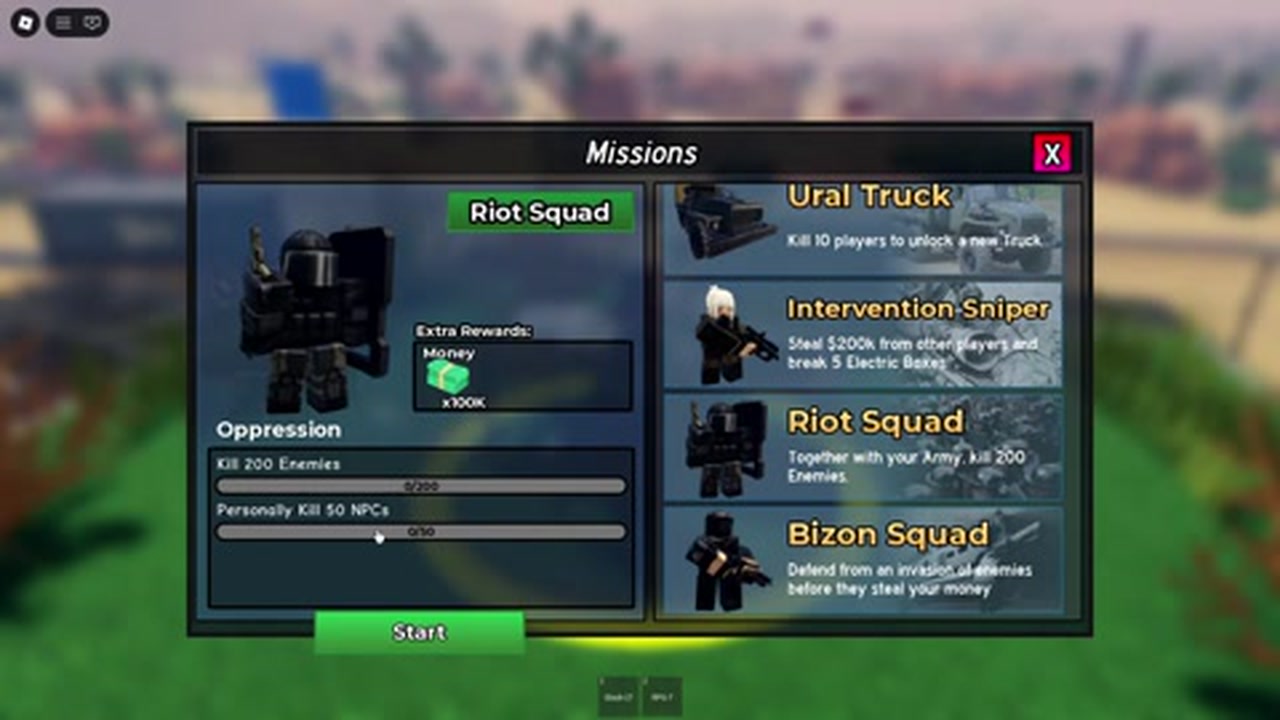
Does 0/200 mean I forgot to press Start?
Not necessarily. Check Start or the active-task state, the selected mission and the target type. The screenshot alone cannot prove why a counter has not changed.
Mission walkthrough
Open Missions, choose the reward you want, read every objective and check Start. Compare the task’s counters after one matching action before committing to a long grind.
Updated
This walkthrough uses the interface reviewed on 7 September 2026 in DinozaurPlays’ gameplay (VjxGWbiSce8). It is not a new October client test.
Zero progress does not by itself prove you forgot Start. Check the action against the current task before repeating it.
| What you see | What to check |
|---|---|
| The selected row still offers Start | Check whether that task has been started. The footage does not establish every task’s activation or restart rules. |
| Ural Truck does not advance after NPC combat | Its recorded objective says “Kill 10 players.” NPCs and players are different target types. |
| Oppression has different progress on its two bars | Read both lines: “Kill 200 Enemies” and “Personally Kill 50 NPCs.” Do not assume squad kills receive personal-kill credit. |
| An Intervention Sniper counter is unfinished | Read both the stolen-Cash and Electric Boxes objectives; a completed line does not confirm the whole mission. |
| Progress differs after changing servers | Compare the selected row and any active-task indicator on the current server. Persistence and server-specific credit rules were not measured. |
| No relevant counter moves after a matching action | Keep the before/after task text and check official community guidance. The existing screenshots do not identify every failure cause. |
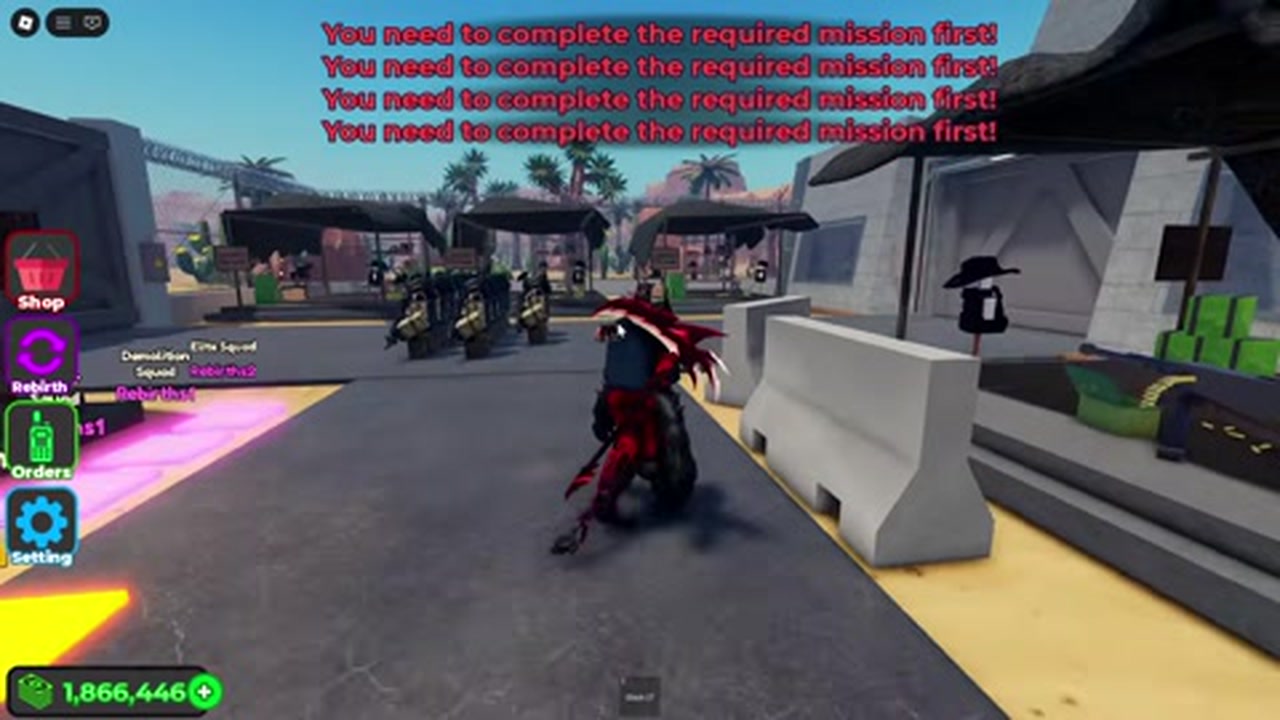
Return to the board and confirm the completed task names the reward you want. Intervention Sniper is marked [MISSION] in the stored tent image; Demolition and Sniper show Rebirth: 1, while Elite shows Rebirth: 2.
Read any current completion or claim prompt; the footage does not verify a universal claim-button sequence. Completing Oppression does not establish that a different named task or a rebirth requirement has been met.
Orders is the green radio. Follow and Attack command the squad; the Missions panel is where you inspect the chosen task. Check whether the objective needs your own weapon, a player target or an invasion event instead of assuming any combat is enough.
Tent Camp capture uses the yellow ring and its capture confirmation. The available evidence does not make that capture a prerequisite for opening Missions.
Bloxophobia walkthrough titles from the [BTR-80A] period advertised a new truck and new units, and a 14 September 2026 third-party listing tied BTRHelp to 50% of the BTR-80A tasks. Neither source shows a readable objective, counter or reward.
The four-row reference and the screenshots here were recorded on 7 September 2026, before that suffix. If your board lists a BTR-80A task, read its own text and counters; do not assume the older Ural Truck row is the same mission.
The stored frame shows Riot Squad, Kill 200 Enemies, Personally Kill 50 NPCs, Money x100K and Start. Compare its structure with your current board, while taking current counts from your own screen.
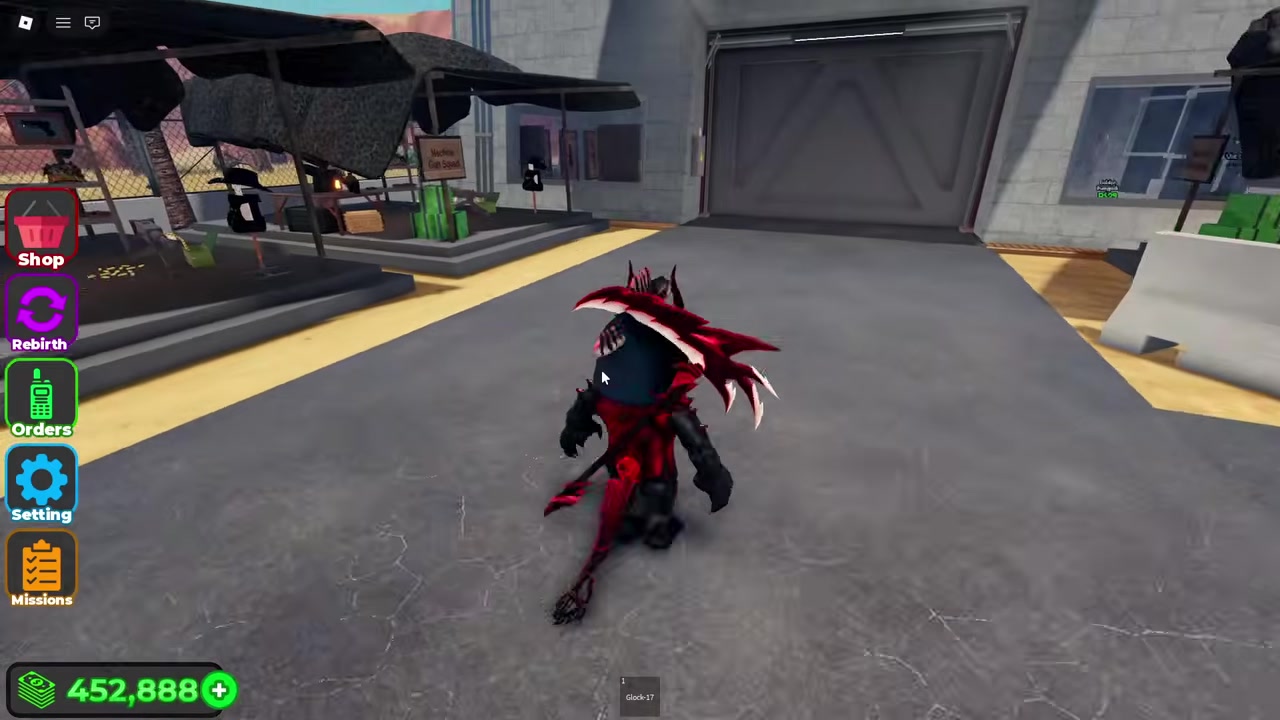
Missions is below Setting in the reviewed recording. The picture documents location in that build, not the condition that unlocks the button.
Check the exact label on the tent you want before going back to a task or the Rebirth menu.
FAQ
Not necessarily. Check Start or the active-task state, the selected mission and the target type. The screenshot alone cannot prove why a counter has not changed.
The wording distinguishes personal kills, but the stored footage does not test every credit rule. Check that specific counter after an action with your own character instead of assuming the squad will complete it.
No such prerequisite has been verified. Early and later HUD screenshots do not establish the exact unlock condition.
Start belongs to a selected mission. Tent Camp is a separate capture location with a yellow ring and a capture confirmation.